
Resetting cPanel Account Password in Reseller WHM
If you are using Reseller Hosting and you customers can not change/reset their cPanel account passwords, this is your job to help them change or reset the password. In this article we are going to show you how you can change or reset the password for your customer’s cPanel account.
Let’s do it by following few steps:
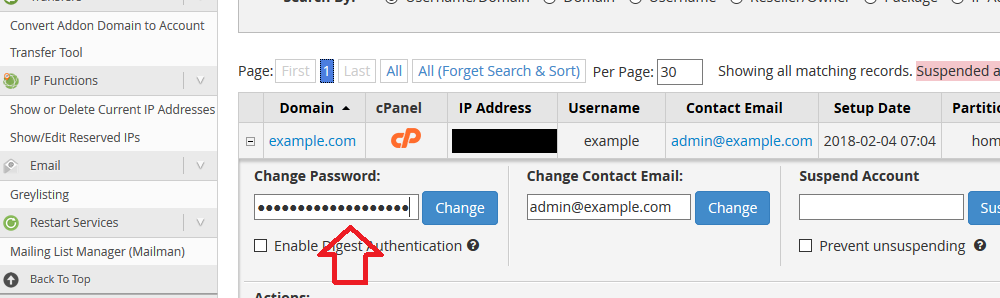
Step 1: Login to your WHM Step 2: Under Account Information choose List Accounts 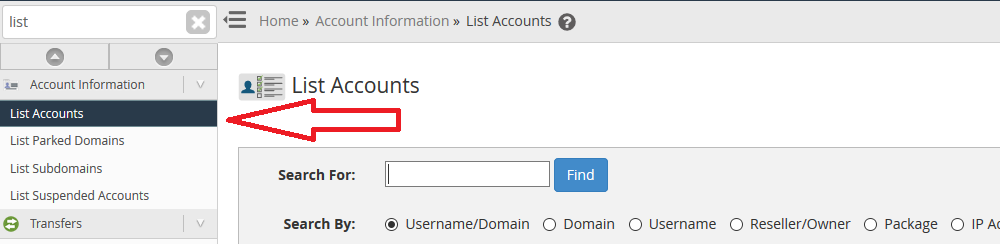 Step 3: Click the + sign next to account you are managing and the dropdown will appear
  Step 4: Under the domain name you will see Change Password. Enter new password and hit Change button
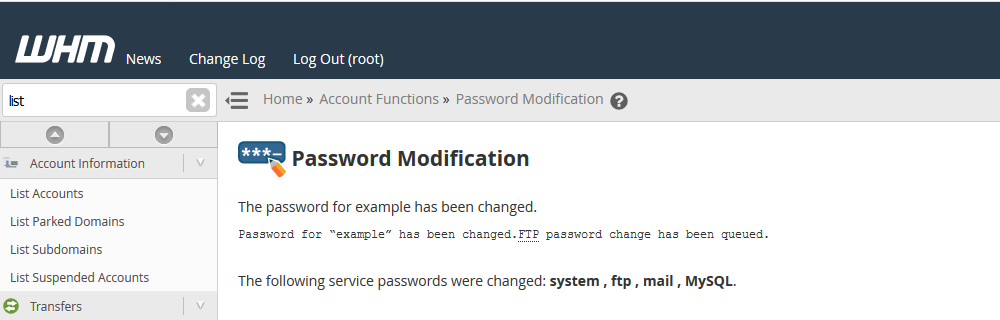
  After changing password successfully you will see this message.
  And you are done!
We hope this tutorial helps you find the perfect solution. If your like our tutorials, definitely you’ll love our support. All VernalWeb hosting plans include 24/7 support from our amazing inhouse support staff. Check out our web hosting plans and have your website migrated today!
Was this article helpful?