
How to Increase Disk Space for a cPanel User in WHM
If you are using dedicated, VPS or reseller hosting, you may need to increase disk space for a single cPanel account without changing the assigned package. In this tutorial, we will show you how to increase disk space for a specific cPanel user in WHM. Step 1: Login to WHM. Step 2: Select Quota Modification under Account Functions. 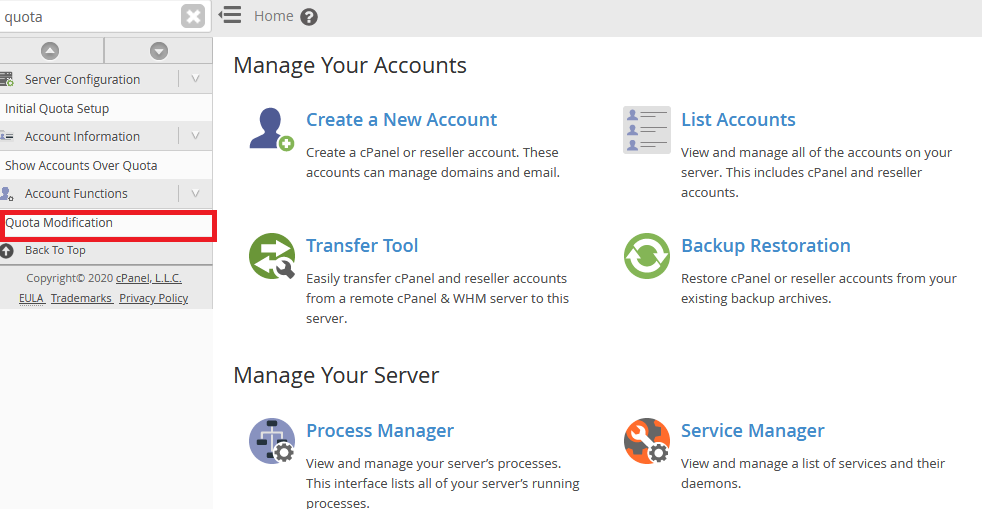 Step 3: Select the domain/username that you want to modify and click Modify. Step 4: Insert the increased value for the Quota and click the Save button.
 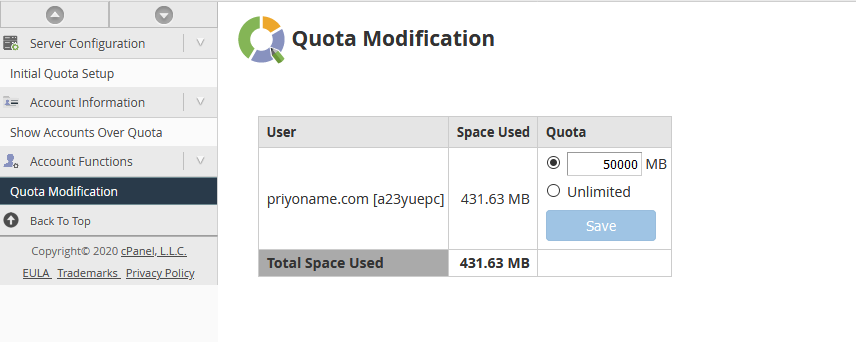 Your cPanel account disk space has been successfully modified.
Was this article helpful?