
How to Enable ionCube Loader in cPanel PHP Extension
ionCube Loader is a free PHP extension uses to decode encrypted PHP files at runtime. If you want to use ionCube Loader for your PHP application or website, you must enable it in your cPanel PHP extension using Cloudlinux Selector. Let’s see how to enable ionCube Loader in cPanel PHP Extension. Step 1: Login to your cPanel account Step 2: Navigate to the Software section and click Select PHP Version 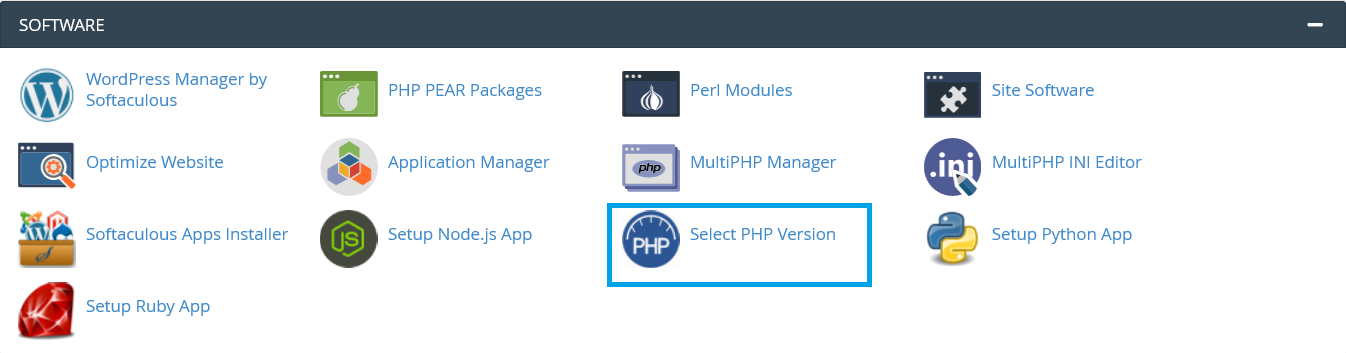 Step 3: Click on the Extensions tab
  Step 4: Scroll down to the extension list and Tick mark the ioncube_loader
 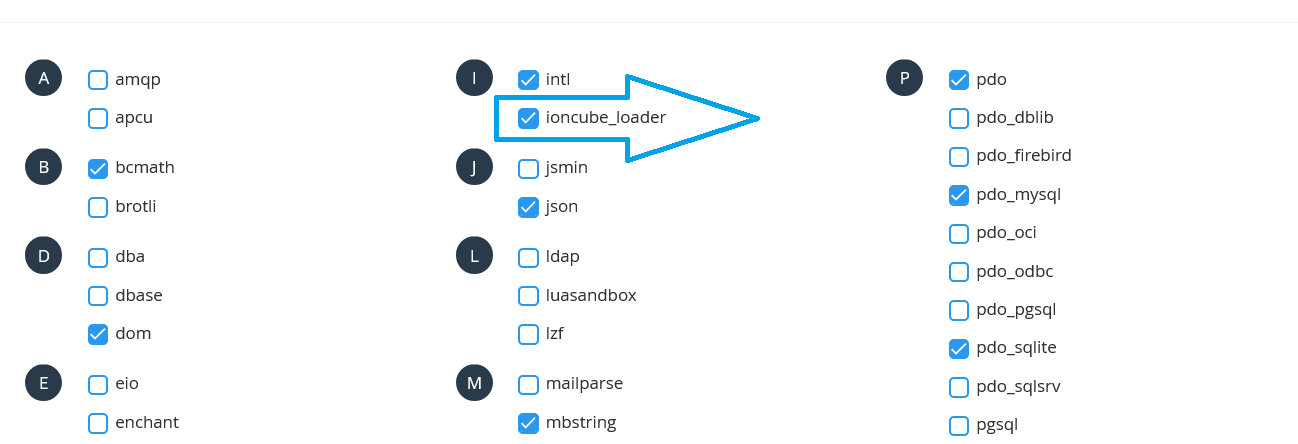 After enabling IonCube Loader, you will get this message
  Now you have enabled ionCube Loader successfully.
We hope this tutorial helps you find the perfect solution. If your like our tutorials, definitely you’ll love our support. All VernalWeb hosting plans include 24/7 support from our amazing inhouse support staff. Check out our web hosting plans and have your website migrated today!
Was this article helpful?